Get Started
make sure you download the latest Blender version and the latest Car Teleporter add-on before installation For the add-on, you need a minimum of 3GB space on your computer.
Setup Add-on
 First we need to download the Car Teleporter Add-on
Click "Preferences"
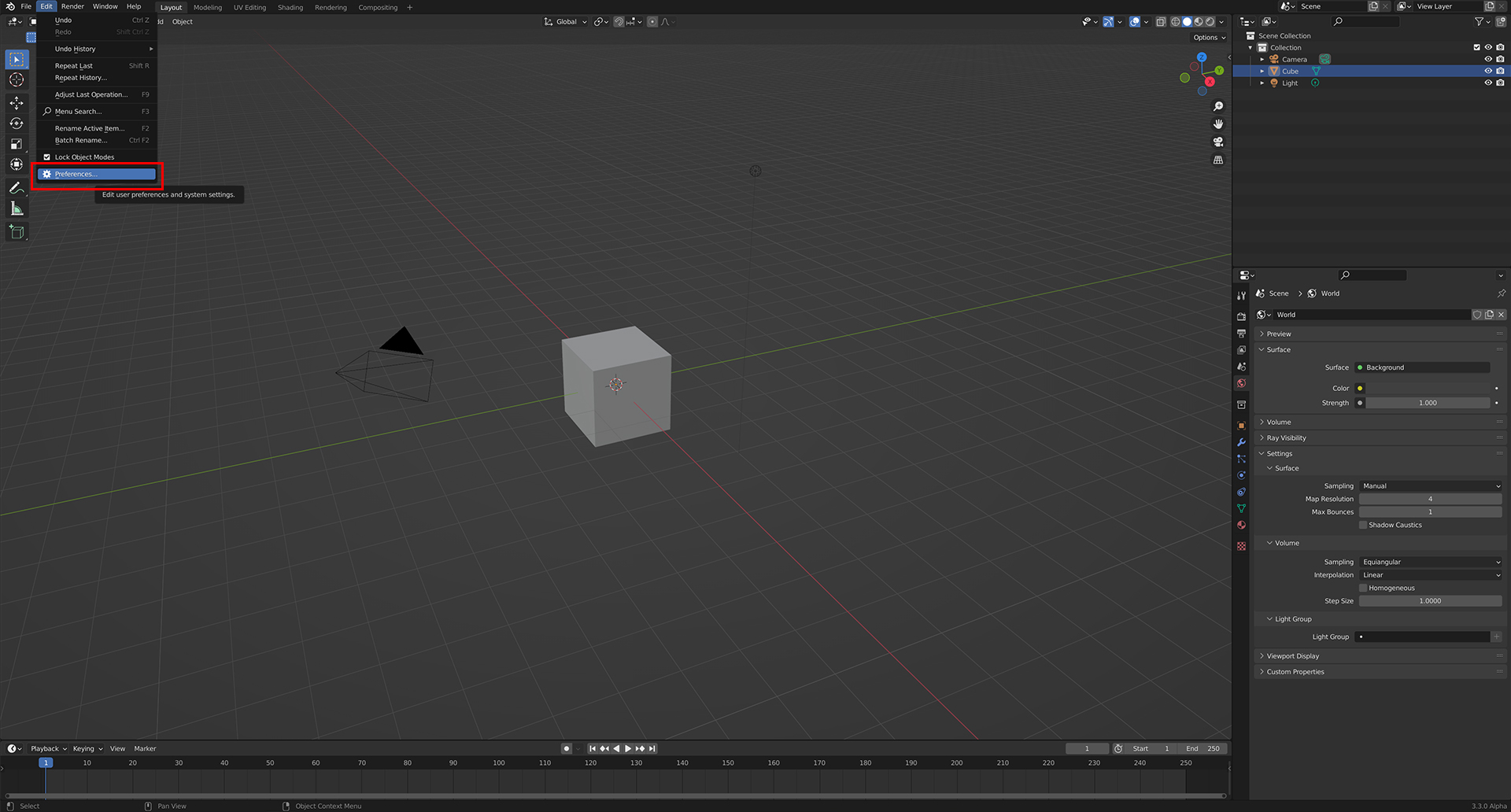 Open Blender then click "Preferences"
Add-ons > Install
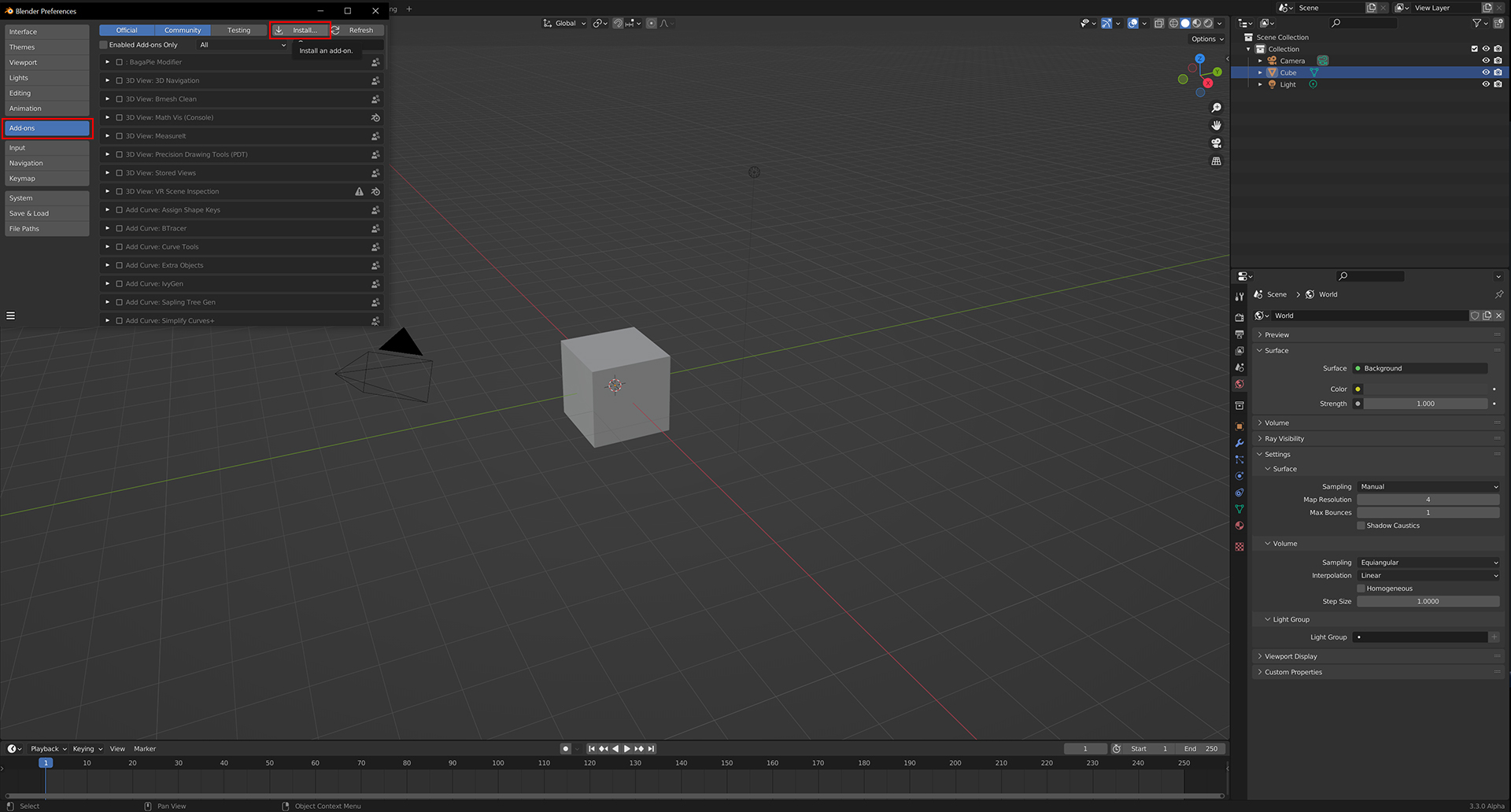 Click Add-ons > Install
Select most recent version
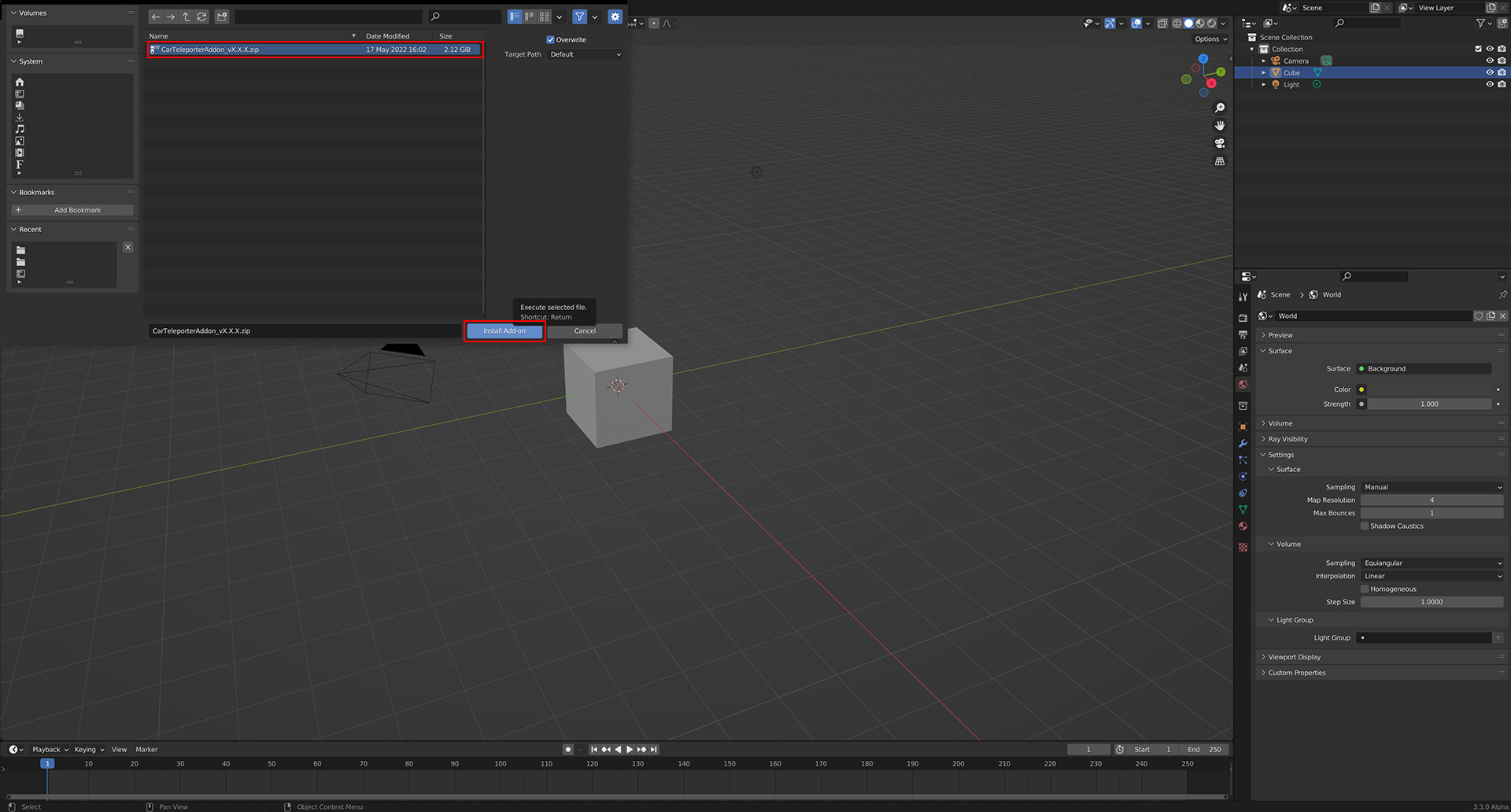 Select most recent version
Open Menu
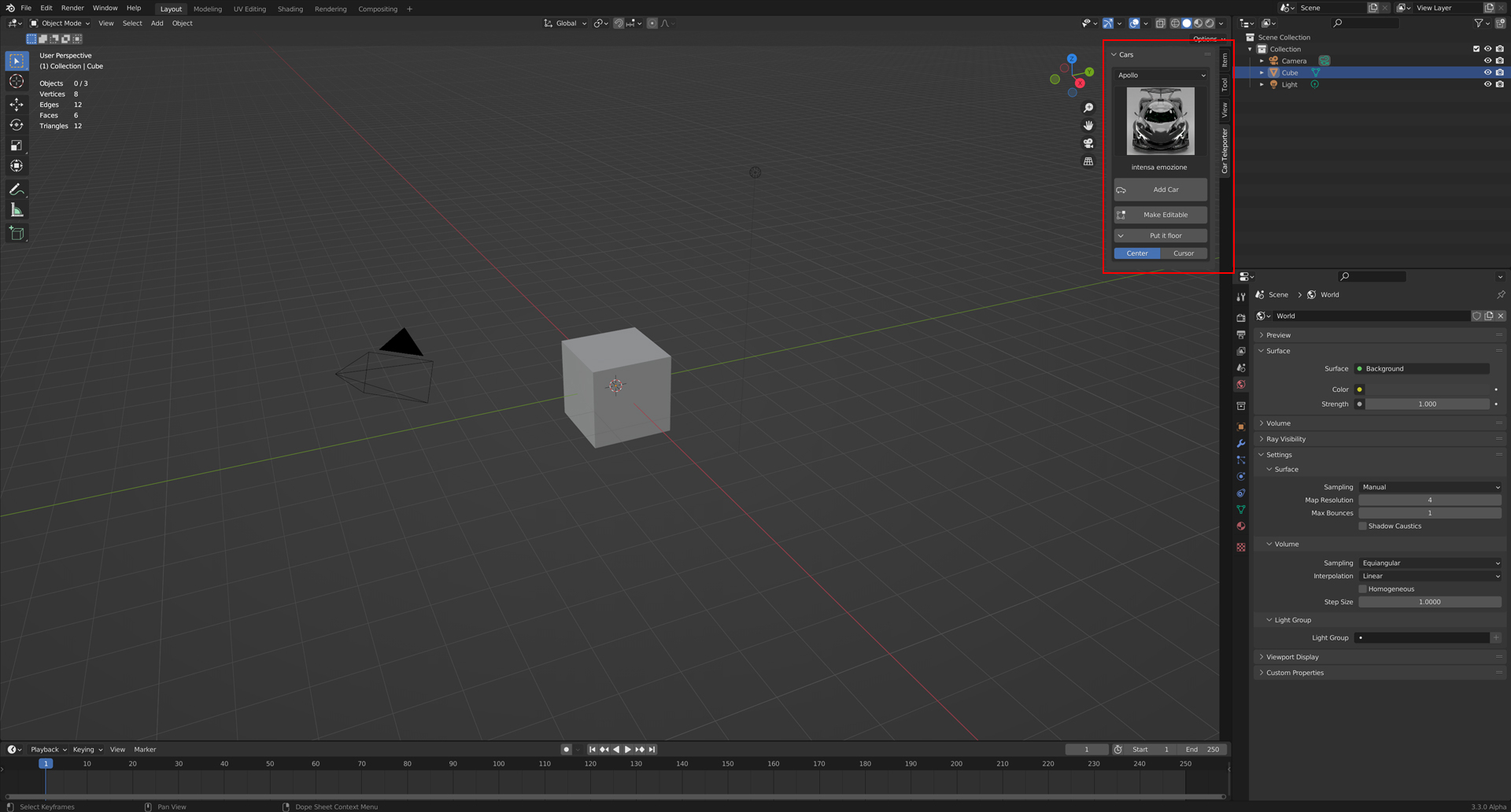 After the installation is finished, you can see the plugin in the right menu by pressing "N".